Free editable template
Graduate resume template
Make your education and projects count.
Free · No signup · No watermark
Editable document. Download once, then open in Word or import into Google Docs.
About this template
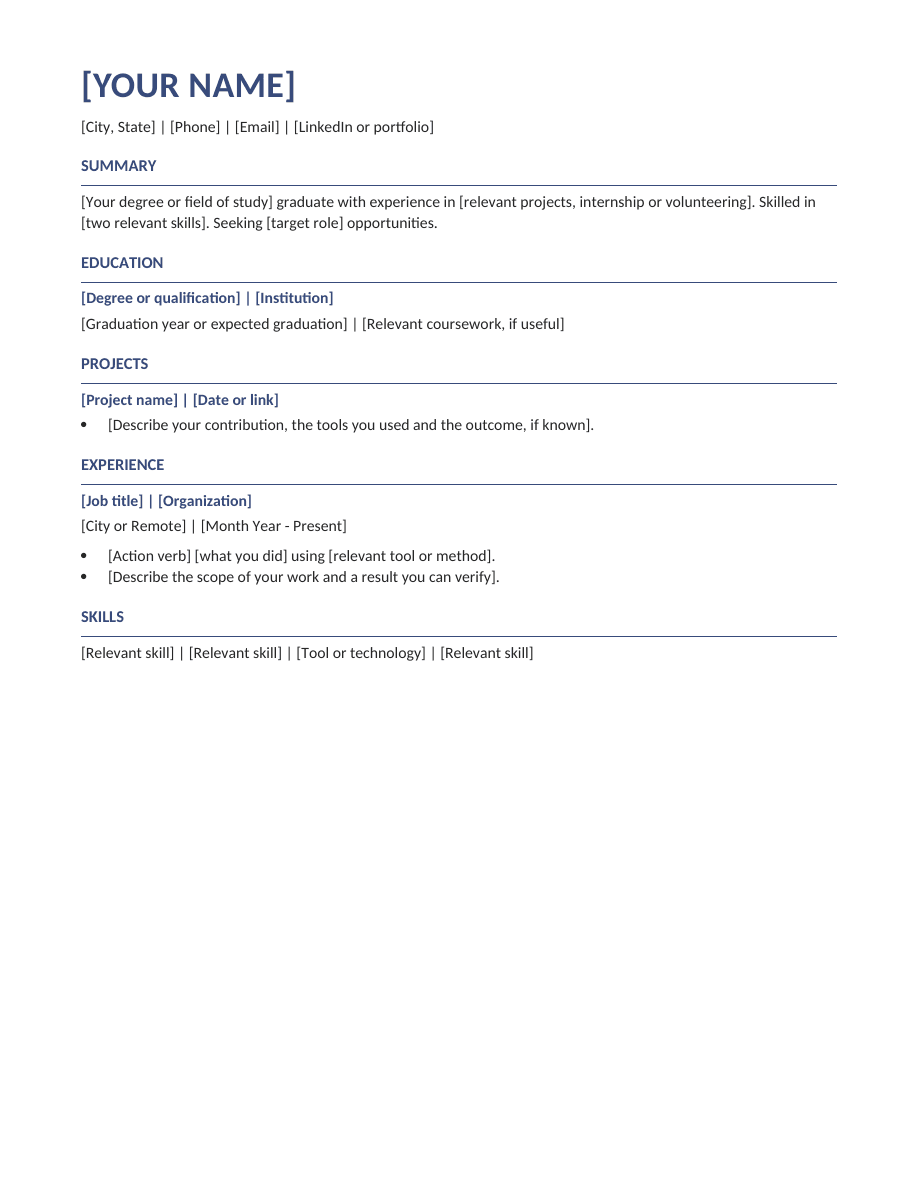
An education-first resume with space for projects, internships and volunteering. Useful when your strongest evidence comes from study or practical projects.
Who this format suits
Students, recent graduates and applicants preparing their first professional resume.
Make it yours
- Replace bracketed prompts with your own contact details and experience.
- Replace the experience section with internships or volunteering when appropriate. Do not invent paid experience.
- Delete unused sections and prompts. Check dates, spelling and page breaks.
- Export the file type requested by the employer.
Sections included
Summary · Education · Projects · Experience · Skills
Make this layout work for you
Lead with education when it is your strongest evidence, then use projects to show practical application. For each project, explain the problem, your individual contribution and the output. Internships, volunteering and part-time work can demonstrate communication, organization or technical ability even when they are outside your target industry. Keep course lists selective and label academic projects clearly so readers understand the setting.
First resume example
A project bullet could read: “Analyzed survey responses for a university research assignment and presented recurring themes to the seminar group.” Describe the method and output you actually used. Do not turn an assessed assignment into professional employment or add a business result that the project did not measure.
Before you send your resume
- Check the content. Remove every bracketed prompt and unused section. Read names, dates, contact details and job titles separately from the rest of the text; familiar information can be easy to overlook when proofreading.
- Check the document. Open the exported file and look for headings left at the bottom of a page, clipped lines and unexpected spacing. Test your links and confirm that the text can be selected. Keep an editable copy for your next application.
- Check the application instructions. Use the file type and naming convention the employer requests. Review any fields filled from your uploaded resume before submitting; a readable template does not guarantee that every application system will interpret every field correctly.
Questions, answered
Can I change the headings and fonts?
Yes. The file uses normal editable paragraphs and styles. Keep headings descriptive, text readable, and the final document consistent.
Is this the same as a template inside the Resumize app?
This is a standalone document template. You can use it independently in Word or Google Docs. The app has its own templates and AI tailoring workflow.
Your experience. A complete resume.
Build in Resumize with ATS-friendly templates, guided editing and a live preview. Start free, then upgrade when you need more.
Free account required. Free-plan PDF exports include a watermark.