Free editable template
First Job resume template
Build a first resume from real experience.
Free · No signup · No watermark
Editable document. Download once, then open in Word or import into Google Docs.
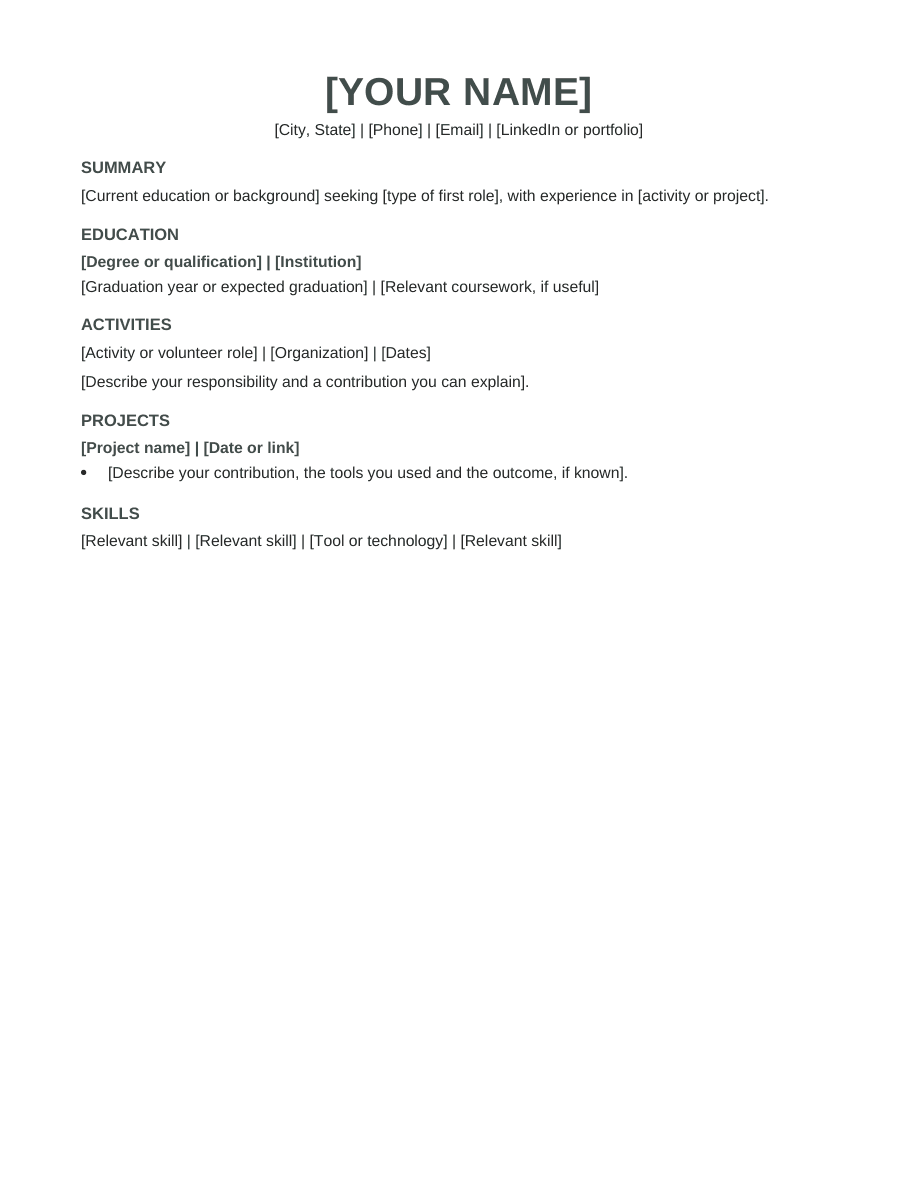
About this template
A starter format for applicants without formal employment history. Use activities, school projects and volunteering to show practical strengths.
Who this format suits
School leavers and first-time job seekers preparing their first application.
Make it yours
- Replace bracketed prompts with your own contact details and experience.
- Use examples of reliability, teamwork and completed work instead of unsupported personal adjectives.
- Delete unused sections and prompts. Check dates, spelling and page breaks.
- Export the file type requested by the employer.
Sections included
Summary · Education · Activities · Projects · Skills
Make this layout work for you
Choose experiences you can discuss clearly, even when they happened outside paid employment. A club activity, volunteer shift or school project can show planning, communication or follow-through. Describe the setting and your responsibility rather than renaming it as a professional role. Remove sections you do not need. A shorter resume with concrete examples is more useful than a full page of vague claims.
First-job example
“Coordinated materials for a school fundraiser and checked the setup list with other volunteers.” This describes a task and teamwork without inventing sales figures or management authority. Keep the activity’s actual name and date when adding it to your document.
Before you send your resume
- Check the content. Remove every bracketed prompt and unused section. Read names, dates, contact details and job titles separately from the rest of the text; familiar information can be easy to overlook when proofreading.
- Check the document. Open the exported file and look for headings left at the bottom of a page, clipped lines and unexpected spacing. Test your links and confirm that the text can be selected. Keep an editable copy for your next application.
- Check the application instructions. Use the file type and naming convention the employer requests. Review any fields filled from your uploaded resume before submitting; a readable template does not guarantee that every application system will interpret every field correctly.
Questions, answered
Can I change the headings and fonts?
Yes. The file uses normal editable paragraphs and styles. Keep headings descriptive, text readable, and the final document consistent.
Is this the same as a template inside the Resumize app?
This is a standalone document template. You can use it independently in Word or Google Docs. The app has its own templates and AI tailoring workflow.
Your experience. A complete resume.
Build in Resumize with ATS-friendly templates, guided editing and a live preview. Start free, then upgrade when you need more.
Free account required. Free-plan PDF exports include a watermark.