Cover letter guide
Google Docs Cover Letter Template: Editable DOCX and Completed Example
Start with the blank DOCX to write your own cover letter in Google Docs. The matching PDF shows the prepared layout, and the completed office-assistant example demonstrates how each prompt becomes a specific paragraph. This is a downloadable Word-format template intended for editing in Google Docs, not a native Google Docs “Make a copy” link.
Download the template and example
Free downloads. No signup or watermark. Open the DOCX in Google Docs to edit; use the PDF to inspect the prepared layout.
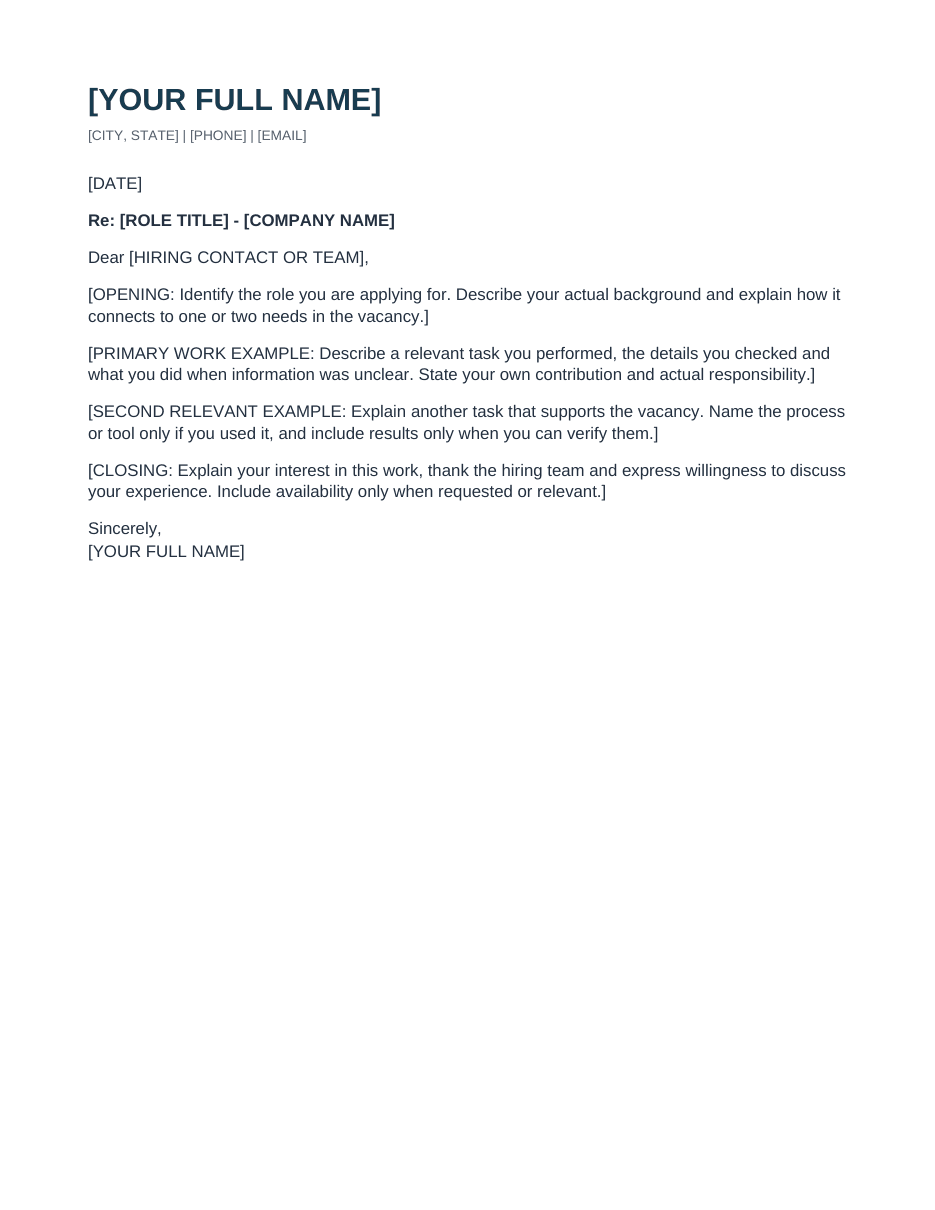
Blank cover-letter template
Replace the prompts with your own contact details and relevant work examples.
Fictional office-assistant example
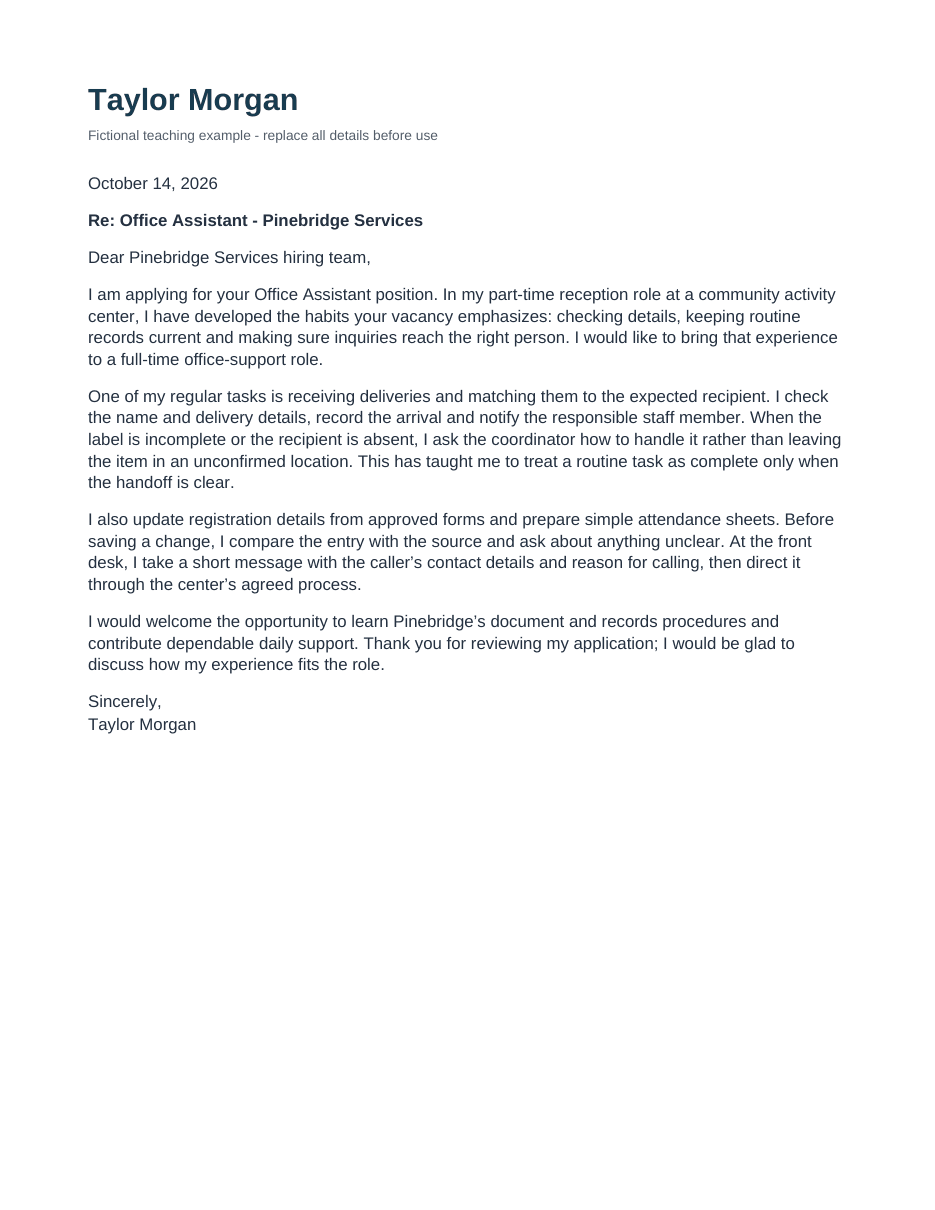
See how the prompts become a complete letter. Replace every fictional detail before using it.
Choose the blank file or the completed example
The blank template contains editable prompts for your contact information, the vacancy and four paragraphs. The completed example uses the same structure for a fictional office assistant. Its name, employer and experience are teaching material, not facts to reuse in your own application.
The PDFs are reading previews, not fillable forms. Use a DOCX to edit the prepared document, or copy the full blank text below into a new Google Doc. A PDF preview does not establish that your edited document will have identical page breaks.
Files and their purposes
Blank cover-letter template — editable DOCX intended for Google Docs import.
Blank cover-letter template — PDF layout preview.
Completed office-assistant example — editable DOCX for comparison.
Completed office-assistant example — PDF reading preview.
Open the DOCX in Google Docs on a computer
Download the blank DOCX and keep an untouched copy. In Google Drive, choose New → File upload and select the file. After uploading, open it; if Drive shows a preview, choose Open with Google Docs. Google’s Office-file guidance confirms that Docs can edit Office files while saving changes in the original Office format.
Rename your working version for the actual application, such as Your-Name-Company-Cover-Letter. Opening a DOCX in the Docs editor is different from converting it into a native Google document. If you prefer to start in a native Doc, create a blank document and paste the template text below, then apply the layout settings described later.
Both provided DOCX files were imported into Google Docs and checked for complete text and paragraph order. Their PDF exports were each one page and were visually checked for readable text and no clipping or overlap. Your edits can change the layout, so inspect your final exported file.
Full blank cover-letter template
Replace each bracketed prompt with your own accurate information. The name appears at both the top and the closing. Remove a field that is unnecessary rather than leaving its instruction in the final letter. The following text matches the blank document’s paragraph order.
[YOUR FULL NAME]

[CITY, STATE] | [PHONE] | [EMAIL]

[DATE]

Re: [ROLE TITLE] - [COMPANY NAME]

Dear [HIRING CONTACT OR TEAM],

[OPENING: Identify the role you are applying for. Describe your actual background and explain how it connects to one or two needs in the vacancy.]

[PRIMARY WORK EXAMPLE: Describe a relevant task you performed, the details you checked and what you did when information was unclear. State your own contribution and actual responsibility.]

[SECOND RELEVANT EXAMPLE: Explain another task that supports the vacancy. Name the process or tool only if you used it, and include results only when you can verify them.]

[CLOSING: Explain your interest in this work, thank the hiring team and express willingness to discuss your experience. Include availability only when requested or relevant.]

Sincerely,

[YOUR FULL NAME]
Turn the prompts into evidence for the vacancy
Work on the content before adjusting the page. Choose one or two responsibilities from the vacancy that you can support with a real example. For the primary example, identify the task, a check you performed and how you dealt with an exception. The second example should add another useful detail rather than repeat the same claim.
In the completed example, the fictional vacancy calls for routine records, deliveries and inquiry routing. The applicant connects reception experience to those tasks. The letter does not claim strategic management responsibility or an invented improvement percentage.
How the four body prompts become paragraphs
Opening: reception experience is connected to the vacancy’s daily office-support needs.
Primary work example: a delivery is checked, recorded and handed to the right person; unclear labels are escalated.
Second relevant example: records are checked against approved forms, and messages are routed through an agreed process.
Closing: the applicant expresses interest in learning the employer’s procedures and discussing the fit.
Completed fictional office-assistant example
This is the complete text of the companion example. The teaching label is intentional. If you use the example as a starting point, replace the identity, date, employer and every work statement with your own facts; simply deleting the label would not make the experience yours. Add your real application contact details if appropriate.
Fictional completed letter
Taylor Morgan
Fictional teaching example - replace all details before use
October 14, 2026
Re: Office Assistant - Pinebridge Services
Dear Pinebridge Services hiring team,
I am applying for your Office Assistant position. In my part-time reception role at a community activity center, I have developed the habits your vacancy emphasizes: checking details, keeping routine records current and making sure inquiries reach the right person. I would like to bring that experience to a full-time office-support role.
One of my regular tasks is receiving deliveries and matching them to the expected recipient. I check the name and delivery details, record the arrival and notify the responsible staff member. When the label is incomplete or the recipient is absent, I ask the coordinator how to handle it rather than leaving the item in an unconfirmed location. This has taught me to treat a routine task as complete only when the handoff is clear.
I also update registration details from approved forms and prepare simple attendance sheets. Before saving a change, I compare the entry with the source and ask about anything unclear. At the front desk, I take a short message with the caller’s contact details and reason for calling, then direct it through the center’s agreed process.
I would welcome the opportunity to learn Pinebridge’s document and records procedures and contribute dependable daily support. Thank you for reviewing my application; I would be glad to discuss how my experience fits the role.
Sincerely,
Taylor Morgan
Check page setup after you edit
The prepared files use US Letter paper, one column, Arial body text at 11 points, top and bottom margins of 0.75 inches, and left and right margins of 0.8 inches. These are the template’s settings, not a universal employer requirement. Longer names, contact details or paragraphs can change the layout.
For a native Google Doc, choose File → Page setup → Pages to inspect a page-based layout. Google’s page-settings help explains how to adjust paper size and margins there. A pageless view reflows with the viewing area, so it is not a reliable way to judge the final page break.
If the closing moves onto a second page, first remove repeated claims and unnecessary sentences. Check for extra blank paragraphs and accidental manual breaks. Keep the text comfortably readable instead of shrinking it until it fits. Recheck the name, contact line and closing after any spacing change.
Export the format the employer requests
In the document, use File → Download and choose the requested file type, such as Microsoft Word (.docx) or PDF. Google’s download guidance describes choosing a format from that menu. Keep the editable working version as well as the final application file.
Open the downloaded file before attaching it. Confirm that every paragraph is present, the closing is on the intended page, and your contact details are correct. Compare the exported version with the edited document, not only with the original preview. Do not assume a saved editor view proves the downloaded file looks the same.
Final replacement and export checks
Search for an opening bracket to find leftover template prompts. Check both occurrences of your name.
Search for Taylor Morgan, Pinebridge and the example’s date if you worked from the sample. Replace every fictional identity and experience detail.
Read the role title, company name and greeting together; they should identify the same application.
Confirm the file extension is the format requested in the application. Renaming .docx to .pdf does not convert the document.
Reopen the actual attachment you selected. The correct filename alone does not prove it contains the latest letter.
Use the template as a starting structure
If the employer asks specific questions, answer them even if that changes the paragraph structure. For an email-body submission or a small application text field, use the relevant submission guidance rather than uploading an unsolicited document.
The template’s value is a clear starting document and an example of how to replace prompts with evidence. It cannot establish your suitability for the role, guarantee parsing by an application system or guarantee an interview.
Questions, answered
Is this a native Google Docs template link?
No. The editable download is a DOCX intended to be opened and edited in Google Docs. The page also supplies the full text for starting a new native Google Doc. There is no public Make-a-copy link.
Can I edit the PDF preview?
The PDF is a reading preview, not an interactive form. Use the DOCX or the blank text to prepare your application.
Will it keep exactly the same layout in Google Docs?
Both DOCX files were imported into Google Docs and checked, with one-page PDF exports. Longer text or other edits can change the layout, so inspect your final exported file.
Should I send a Google Docs sharing link?
Use the submission method the employer requests. If it asks for an attachment, export the required file type. A sharing link is not a substitute for that instruction.
Sources and examples
ResumizeAI team. Examples are fictional teaching material, not customer results. Replace sample details with your own facts.
Your experience. A complete resume.
Build in Resumize with ATS-friendly templates, guided editing and a live preview. Start free, then upgrade when you need more.
Free account required. Free-plan PDF exports include a watermark.