IT Support Specialist resume examples and templates
An IT support specialist resume should show what you supported, what you were authorized to change and how you checked that the user could work again. Use this endpoint and onboarding example to turn an inventory count, an access request or a rollout exception into evidence a hiring team can understand.
These previews use the same layouts as the builder, with identical example content. Open a full preview to inspect the text and spacing.
Fictional candidate, employers, education and results. The optional portrait is AI-generated. Use your own evidence and photo; the example is not inserted into your resume.
Harbor
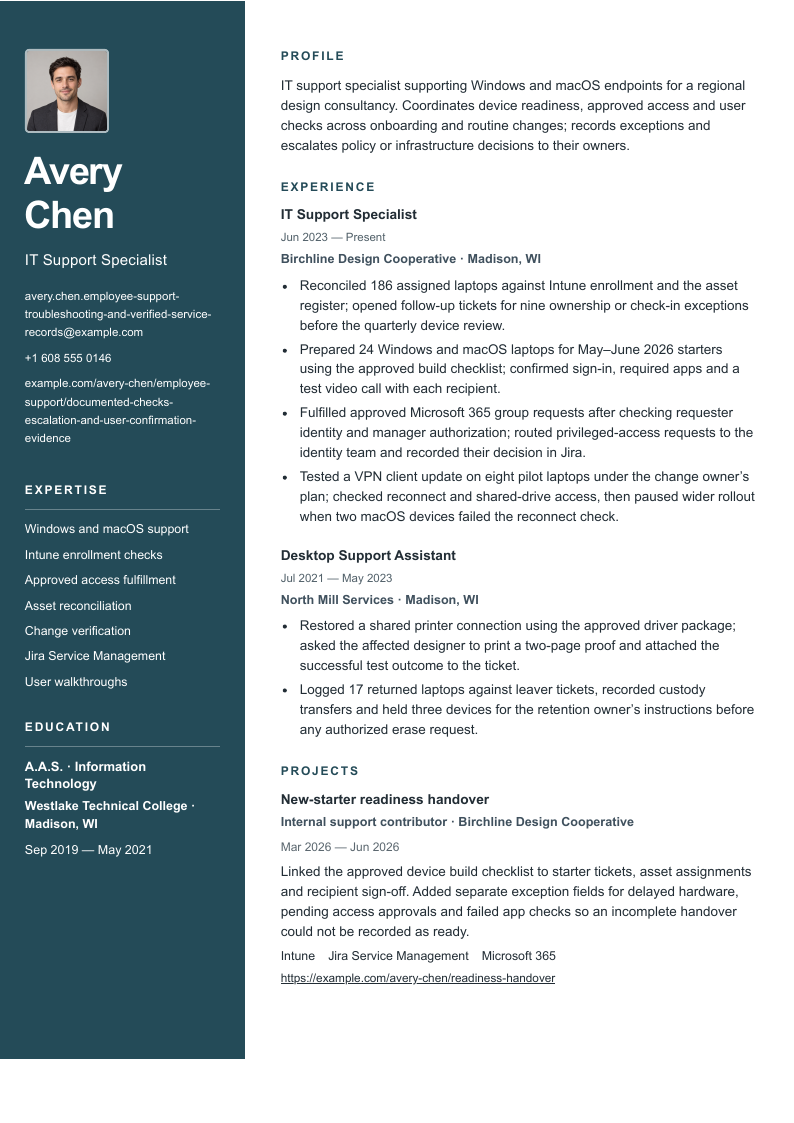
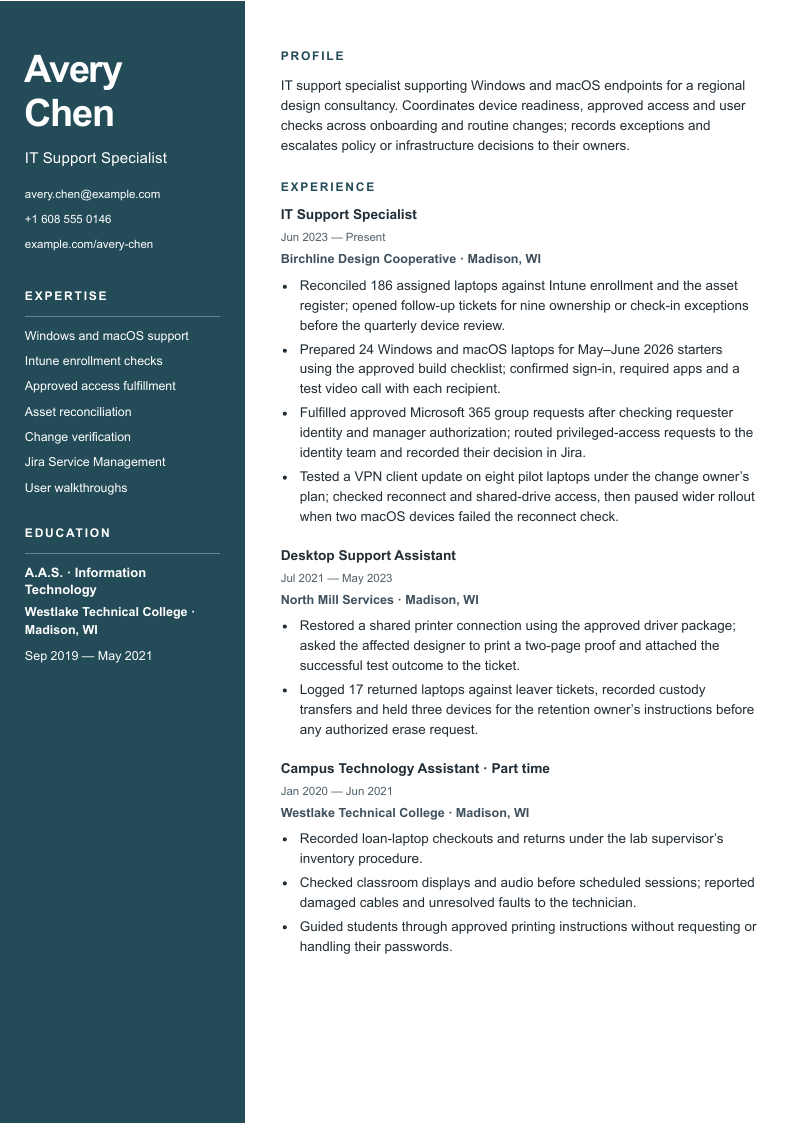
A dark left rail groups identity, contacts, skills and education; the wider right column follows the profile, experience and projects.
Before sending: Long contact strings wrap in the narrow rail. Check their final characters, the date gutter and both columns on every exported page.
A blue header rule and square section markers guide a single-column sequence from profile and experience to skills, qualifications and projects.
Before sending: The date gutter shares space with job headings. Verify longer titles and the late project section when the record continues to another page.
An uppercase name, plain header and fine section rules introduce a single-column body with restrained headings and job dates in a small gutter.
Before sending: The restrained styling puts the burden on clear bullet structure. Check the qualification block and project links near the end of the PDF.
“Use” opens signup with that design and photo preference selected for the builder. A free account is required. Free-plan PDF downloads include a watermark; see current plans for paid options. Photo conventions vary; follow the employer’s instructions and local expectations.
All three designs show Avery Chen’s identical record, with every exported PDF page available in the preview. The photo starts off; switch it on to compare the identity area and contact wrapping. The portrait is an illustrative fixture and is not added to your account. Page count depends on your content and selected layout.
Explore the layouts for Harbor, Signal and Essential. Harbor separates qualifications into a dark rail; Signal and Essential use a single body column. Choose a hierarchy you can read at normal size, then inspect the actual download with your content.
A complete IT support specialist resume example
Avery Chen is a fictional support specialist at a regional design consultancy, with earlier desktop support experience. The record follows device assignment, new-starter setup, approved access and change checks. Every name, employer, school, case and count is invented for teaching. The example.com portfolio links are placeholders; replace them with your own permitted work or omit them.
IT support specialist supporting Windows and macOS endpoints for a regional design consultancy. Coordinates device readiness, approved access and user checks across onboarding and routine changes; records exceptions and escalates policy or infrastructure decisions to their owners.
Skills
Windows and macOS support · Intune enrollment checks · Approved access fulfillment · Asset reconciliation · Change verification · Jira Service Management · User walkthroughs
Experience
IT Support Specialist
Birchline Design Cooperative · Madison, WI
June 2023–Present
Reconciled 186 assigned laptops against Intune enrollment and the asset register; opened follow-up tickets for nine ownership or check-in exceptions before the quarterly device review.
Prepared 24 Windows and macOS laptops for May–June 2026 starters using the approved build checklist; confirmed sign-in, required apps and a test video call with each recipient.
Fulfilled approved Microsoft 365 group requests after checking requester identity and manager authorization; routed privileged-access requests to the identity team and recorded their decision in Jira.
Tested a VPN client update on eight pilot laptops under the change owner’s plan; checked reconnect and shared-drive access, then paused wider rollout when two macOS devices failed the reconnect check.
Desktop Support Assistant
North Mill Services · Madison, WI
July 2021–May 2023
Restored a shared printer connection using the approved driver package; asked the affected designer to print a two-page proof and attached the successful test outcome to the ticket.
Logged 17 returned laptops against leaver tickets, recorded custody transfers and held three devices for the retention owner’s instructions before any authorized erase request.
Education
A.A.S. in Information Technology · Westlake Technical College · Madison, WI
September 2019–May 2021
Projects
New-starter readiness handover
Internal support contributor · Birchline Design Cooperative
March 2026–June 2026
Intune · Jira Service Management · Microsoft 365
Linked the approved device build checklist to starter tickets, asset assignments and recipient sign-off. Added separate exception fields for delayed hardware, pending access approvals and failed app checks so an incomplete handover could not be recorded as ready.
Read the responsibilities as a connected service: a device is accounted for, prepared under an approved process and tested with the recipient. A failed pilot and a retention hold remain visible. They show where Avery stopped and handed a decision to someone else, rather than treating every request as a successful installation.
Show operational ownership through the whole support request
“Managed IT” conceals both the work and its limits. Identify the environment, the request and your action: checking an assigned laptop against an enrollment report, preparing a starter’s device or confirming a shared printer works for its user. Then describe the acceptance check or the exception you passed to the responsible owner. A ticket closed by policy without a user response is different from a user-confirmed restoration.
Separate support scale from a result. A fleet of 186 laptops tells the reader the population reviewed; it does not prove 100% availability or compliance. Twenty-four prepared laptops establish deliveries during a stated period, not hours saved. If you have a reliability measure, keep its service window, denominator, exclusions and source. Do not turn a short pilot into an organization-wide success rate.
Access work needs a clear authority boundary. Describe the identity and approval checks you actually followed, the standard request you fulfilled and the point where elevated permissions required another owner. An urgent executive request does not replace verification. For offboarding, distinguish device custody, account actions and retention decisions instead of compressing them into “secured all departures.”
These tasks overlap with help desk work. Employers may put fleet administration, first response and escalations under either title. This guide emphasizes endpoint lifecycle and change verification; the help desk technician guide works through intake, diagnostic sequence and closure evidence. Keep your real title and tailor the strongest relevant examples to the vacancy rather than treating the guides as a promotion ladder.
Six annotated rewrites for IT support specialist work
Use request or operational scope → authorized action → check or documented exception as a drafting prompt. Each after statement appears verbatim in the full fictional resume above. The notes explain what the claim proves and which records would support it; they are not an invitation to copy the invented numbers.
01Endpoint readiness with a defined scope
Before
Managed hundreds of computers flawlessly.
Illustrative rewrite
Reconciled 186 assigned laptops against Intune enrollment and the asset register; opened follow-up tickets for nine ownership or check-in exceptions before the quarterly device review.
Why it helps: Defines the reviewed population and unresolved exceptions. Assigned-device count is workload scope, not proof of uptime, compliance or sole ownership of the fleet.
Check your evidence: Dated asset export, enrollment report, exception list and linked follow-up tickets.
02Onboarding with an acceptance check
Before
Streamlined onboarding for all new hires.
Illustrative rewrite
Prepared 24 Windows and macOS laptops for May–June 2026 starters using the approved build checklist; confirmed sign-in, required apps and a test video call with each recipient.
Why it helps: Names the period, deliverables and user acceptance. This supports readiness checks; it does not establish that every starter was productive on day one or that setup time fell.
Check your evidence: Starter roster, device handover records, build checklist version and recipient check results.
03Access within delegated authority
Before
Administered secure access to every system.
Illustrative rewrite
Fulfilled approved Microsoft 365 group requests after checking requester identity and manager authorization; routed privileged-access requests to the identity team and recorded their decision in Jira.
Why it helps: Shows a useful control and the boundary of the support role. Approval is not inferred from urgency, and access to a console does not establish authority to grant every permission.
Check your evidence: Identity-verification procedure, approval record, requested group, fulfillment log and privileged-request handoff.
04A change that is tested after rollout
Before
Deployed patches with zero disruption.
Illustrative rewrite
Tested a VPN client update on eight pilot laptops under the change owner’s plan; checked reconnect and shared-drive access, then paused wider rollout when two macOS devices failed the reconnect check.
Why it helps: A failed pilot is useful evidence of judgment. The candidate owns the checks and stop signal; the change owner decides the wider release. No failure-free deployment or root cause is asserted.
Check your evidence: Approved change plan, pilot device list, before-and-after checks, failure observations and release decision.
05User confirmation beyond installation
Before
Fixed all printer problems quickly.
Illustrative rewrite
Restored a shared printer connection using the approved driver package; asked the affected designer to print a two-page proof and attached the successful test outcome to the ticket.
Why it helps: Distinguishes installing a package from restoring the user’s task. One verified case cannot substantiate an all-ticket success rate or a speed claim.
Check your evidence: Issue description, approved package version, performed steps and user-confirmed proof output.
06Returning equipment with a traceable handoff
Before
Secured offboarding and wiped all devices.
Illustrative rewrite
Logged 17 returned laptops against leaver tickets, recorded custody transfers and held three devices for the retention owner’s instructions before any authorized erase request.
Why it helps: Shows inventory and handoff responsibility without claiming an erase, legal decision or access revocation the candidate did not perform. The hold is an explicit exception, not a completed disposal.
Check your evidence: Return register, custody acknowledgments, retention instructions and authorized next-step records.
A useful bullet can end with an unresolved exception. Avery’s pilot paused after two failed checks; the erase requests waited for retention instructions. Replacing either with “successfully completed” would remove the strongest evidence of judgment. When an incident was handled by several teams, name your test, update or handoff and credit the team outcome only at the scope you can verify.
Connect each skill to a support artifact
Choose skills you can demonstrate at the required depth. Checking an Intune enrollment report is different from designing compliance policies. Fulfilling a standard group request is different from owning identity architecture. The resume should say which one you did. You can include adjacent learning in a clearly labeled course or lab section without presenting it as production administration.
The employer examples show why a combined keyword checklist misleads. Sony describes a studio client-technology setting; Fanatics includes escalated support and named endpoint administration platforms; Fleetworthy describes an entry-level support role with senior guidance. Their requirements differ. Use the linked description closest to your target environment to decide which real evidence belongs first.
Skills and the evidence behind them
Skill
Evidence to keep
Example in this record
Windows and macOS support
A named user task, operating system context and a recorded check.
Starter sign-in and app checks, plus the macOS VPN pilot exception.
Intune enrollment checks
The compared device set, report date and treatment of missing check-ins.
A 186-laptop reconciliation creates nine follow-up tickets.
Approved access fulfillment
Requester verification, actual authorization and the fulfilled scope.
Standard Microsoft 365 group work is separated from privileged requests.
Asset reconciliation
Assignment, return and custody records with exceptions preserved.
The leaver-device handoff records 17 returns and three retention holds.
Change verification
Approved plan, pilot population and post-change acceptance checks.
Eight laptops are tested before the wider VPN rollout decision.
Jira and user communication
Tickets and instructions that show the tool’s purpose.
Readiness tickets link to the build checklist and recipient sign-off.
Write a summary that sets up the experience
Name the user environment and the contribution you can support in two or three focused sentences. Avery’s summary establishes Windows and macOS support at a design consultancy, then points to readiness, approved access and verification. The dated experience supplies the examples. “Expert in all IT systems” would promise a scope this record cannot prove.
In the current job, lead with the responsibilities most relevant to the vacancy. For an endpoint-focused position, device reconciliation or provisioning may come first. For a role with frequent desk-side support, lead with a verified user task. Add truthful context such as office sites, remote employees or an assigned device population; keep device totals separate from people supported and ticket counts.
Preserve each title and employer. A previous assistant role can prove careful handoffs and user support without being renamed administrator. If you mentored colleagues, say what you reviewed or taught. Use a management title or direct-report count only when you actually had that responsibility.
Build an early-career version around a checked task
An internship, campus lab shift or supervised volunteer role can provide relevant evidence. State the setting and who approved the work. A small real example with a user acceptance check is more informative than a list of enterprise tools copied from a vacancy. Keep unrelated work when it demonstrates careful records or calm communication, but make the connection explicit.
Illustrative campus-to-support adaptation
Summary: Technology lab assistant seeking a first full-time IT support role, with experience recording equipment loans, checking classroom audio and explaining approved printing steps.
Experience bullet: Checked the display connection and audio output before six scheduled lab sessions; recorded one failed adapter test and passed it to the supervising technician before the room opened.
Boundary: The assistant owns the check and report. The technician owns replacement decisions. Six sessions are practice scope, not proof of enterprise availability or administrator access.
For an independent lab, label the devices and accounts as your own test environment. Explain the setup, the test and what failed. A lab enrollment exercise can demonstrate learning; it does not become a production rollout or permission to use an employer’s systems.
Education and credentials: use the vacancy’s actual requirements
Report the actual qualification, institution and dates. Avery’s fictional A.A.S. is one candidate’s background and the example includes no certification. If a qualification is in progress, state that and an accurate expected completion date. For a current credential, use its official name, issuer and status; avoid expired credentials presented as active.
Check the target employer’s wording. Fleetworthy lists several education or experience routes and treats A+ as preferred; Fanatics emphasizes particular hands-on administration experience. Neither description establishes a rule for all IT support jobs. A course or certification can show learning, but it does not prove that you administered a platform or were authorized to grant privileged access.
Inspect long contact details with the photo on
This version changes only the resume email and portfolio contact URL. Every job, bullet, date, skill and project stays identical. Harbor is shown with the optional photo, so the narrower identity rail has both an image and long contact strings. Compare the last characters in the preview with the full text below.
IT support specialist supporting Windows and macOS endpoints for a regional design consultancy. Coordinates device readiness, approved access and user checks across onboarding and routine changes; records exceptions and escalates policy or infrastructure decisions to their owners.
Skills
Windows and macOS support · Intune enrollment checks · Approved access fulfillment · Asset reconciliation · Change verification · Jira Service Management · User walkthroughs
Experience
IT Support Specialist
Birchline Design Cooperative · Madison, WI
June 2023–Present
Reconciled 186 assigned laptops against Intune enrollment and the asset register; opened follow-up tickets for nine ownership or check-in exceptions before the quarterly device review.
Prepared 24 Windows and macOS laptops for May–June 2026 starters using the approved build checklist; confirmed sign-in, required apps and a test video call with each recipient.
Fulfilled approved Microsoft 365 group requests after checking requester identity and manager authorization; routed privileged-access requests to the identity team and recorded their decision in Jira.
Tested a VPN client update on eight pilot laptops under the change owner’s plan; checked reconnect and shared-drive access, then paused wider rollout when two macOS devices failed the reconnect check.
Desktop Support Assistant
North Mill Services · Madison, WI
July 2021–May 2023
Restored a shared printer connection using the approved driver package; asked the affected designer to print a two-page proof and attached the successful test outcome to the ticket.
Logged 17 returned laptops against leaver tickets, recorded custody transfers and held three devices for the retention owner’s instructions before any authorized erase request.
Education
A.A.S. in Information Technology · Westlake Technical College · Madison, WI
September 2019–May 2021
Projects
New-starter readiness handover
Internal support contributor · Birchline Design Cooperative
March 2026–June 2026
Intune · Jira Service Management · Microsoft 365
Linked the approved device build checklist to starter tickets, asset assignments and recipient sign-off. Added separate exception fields for delayed hardware, pending access approvals and failed app checks so an incomplete handover could not be recorded as ready.
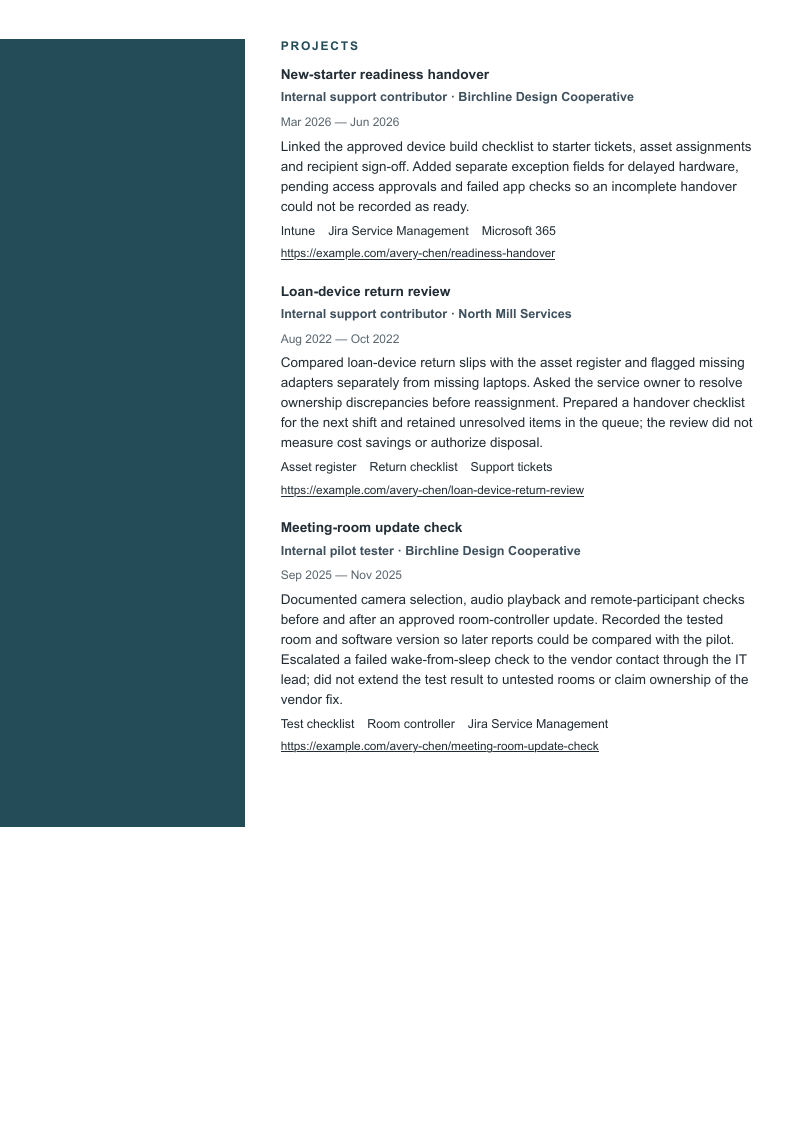
The expanded record retains every base field and adds Avery’s earlier campus job plus two dated projects: a loan-device return review and a meeting-room update check. Harbor is shown without a photo. Follow the continuation of the right-hand experience and projects alongside the left rail, and confirm the final project sentence and oldest job are present. Nothing is cut to meet a page count.
IT support specialist supporting Windows and macOS endpoints for a regional design consultancy. Coordinates device readiness, approved access and user checks across onboarding and routine changes; records exceptions and escalates policy or infrastructure decisions to their owners.
Skills
Windows and macOS support · Intune enrollment checks · Approved access fulfillment · Asset reconciliation · Change verification · Jira Service Management · User walkthroughs
Experience
IT Support Specialist
Birchline Design Cooperative · Madison, WI
June 2023–Present
Reconciled 186 assigned laptops against Intune enrollment and the asset register; opened follow-up tickets for nine ownership or check-in exceptions before the quarterly device review.
Prepared 24 Windows and macOS laptops for May–June 2026 starters using the approved build checklist; confirmed sign-in, required apps and a test video call with each recipient.
Fulfilled approved Microsoft 365 group requests after checking requester identity and manager authorization; routed privileged-access requests to the identity team and recorded their decision in Jira.
Tested a VPN client update on eight pilot laptops under the change owner’s plan; checked reconnect and shared-drive access, then paused wider rollout when two macOS devices failed the reconnect check.
Desktop Support Assistant
North Mill Services · Madison, WI
July 2021–May 2023
Restored a shared printer connection using the approved driver package; asked the affected designer to print a two-page proof and attached the successful test outcome to the ticket.
Logged 17 returned laptops against leaver tickets, recorded custody transfers and held three devices for the retention owner’s instructions before any authorized erase request.
Campus Technology Assistant · Part time
Westlake Technical College · Madison, WI
January 2020–June 2021
Recorded loan-laptop checkouts and returns under the lab supervisor’s inventory procedure.
Checked classroom displays and audio before scheduled sessions; reported damaged cables and unresolved faults to the technician.
Guided students through approved printing instructions without requesting or handling their passwords.
Education
A.A.S. in Information Technology · Westlake Technical College · Madison, WI
September 2019–May 2021
Projects
New-starter readiness handover
Internal support contributor · Birchline Design Cooperative
March 2026–June 2026
Intune · Jira Service Management · Microsoft 365
Linked the approved device build checklist to starter tickets, asset assignments and recipient sign-off. Added separate exception fields for delayed hardware, pending access approvals and failed app checks so an incomplete handover could not be recorded as ready.
Internal support contributor · North Mill Services
August 2022–October 2022
Asset register · Return checklist · Support tickets
Compared loan-device return slips with the asset register and flagged missing adapters separately from missing laptops. Asked the service owner to resolve ownership discrepancies before reassignment. Prepared a handover checklist for the next shift and retained unresolved items in the queue; the review did not measure cost savings or authorize disposal.
Internal pilot tester · Birchline Design Cooperative
September 2025–November 2025
Test checklist · Room controller · Jira Service Management
Documented camera selection, audio playback and remote-participant checks before and after an approved room-controller update. Recorded the tested room and software version so later reports could be compared with the pilot. Escalated a failed wake-from-sleep check to the vendor contact through the IT lead; did not extend the test result to untested rooms or claim ownership of the vendor fix.
This longer record is a layout check, not a recommendation to include every past task. Choose relevant evidence before compressing text. If the useful material needs another page, review its continuation and readability instead of deleting the verification or ownership context that makes a claim understandable.
Check the final download before applying
Read every page at normal size. Inspect contacts, job titles, dates, section starts and the final project sentence. Harbor’s narrow rail and date gutter deserve a separate look.
Copy the exported text. Check the order in a plain document, particularly with Harbor’s two columns. Test the portfolio links and compare the complete contact strings with what appears in the PDF.
Follow the employer’s file request. A layout cannot guarantee parsing across every application system. Review titles, dates and contact fields populated after upload.
Recheck evidence and scope. Distinguish assigned, resolved, escalated and reopened tickets. Remove confidential user details and internal system information from public case studies; preserve accurate approval and ownership limits.
Review your resume with the analyzer and assess suggestions against your records. Design buttons open signup with the selected template and photo choice. The examples show paid-plan PDF output; free-plan downloads include a watermark.
Is IT support specialist different from help desk technician?
The duties overlap and titles vary by employer. This example emphasizes device lifecycle, approved access and verification of changes; the help desk example emphasizes intake, troubleshooting and escalation. Keep your actual title and select evidence for the advertised scope instead of assuming one title is always more senior.
Can I list Intune or Microsoft 365 if I only handled support requests?
Describe the work at its real depth: enrollment checks, user troubleshooting or approved group fulfillment, for example. Do not imply policy design, tenant ownership or unrestricted administration. If your exposure was in a course or personal lab, label that setting.
Do I need a certification for an IT support specialist resume?
Check the particular vacancy. The cited employers describe different experience, education and tool requirements, and Fleetworthy lists A+ as preferred. Include credentials you actually hold with accurate status; do not copy a credential into your resume because it appears in this example or another posting.
What can I show when I have no reliable uptime or SLA numbers?
Describe the supported task, the approved procedure and the verification or documented exception. A checked sign-in, recorded device handover or pilot stop can show useful responsibility. Do not infer time savings, availability or policy compliance from a device count.
Will the design and photo choice follow me into the builder?
The Use buttons open signup with that template and the current photo choice selected. The fictional candidate and portrait are not copied into your account. A free account is required; free-plan PDF downloads include a watermark.
Prepared by Resumize with AI-assisted research and drafting for English-language US applications. We checked the three primary employer application pages and the CareerOneStop guidance below on October 27, 2026. Each employer displayed an application form; none showed an exact publication date. Availability can change. The fictional resume, annotated evidence limits and design comparisons are original editorial teaching examples, not employer endorsements or universal hiring rules.
Los Angeles, California, US. Application form available October 27, 2026; publication date not shown. Illustrates client technology support, inventory, provisioning and relationships with internal users. Its studio environment and administration scope are specific to this vacancy.
Sunnyvale, Texas, US. Application form available October 27, 2026; publication date not shown. Illustrates escalated tickets, endpoint and identity platforms, lifecycle records and manufacturing operations. Named administration tools and experience requirements belong to this posting.
Madison, Wisconsin, US, hybrid. Application form available October 27, 2026; marked New without a publication date. Illustrates entry-level user support, equipment setup and access work guided by senior staff. Lists equivalent experience or self-study as one qualification route and A+ as preferred.
Read October 27, 2026. General guidance on relevant experience, clear dates and specific actions with context. Candidate records, evidence critiques and design comparisons are original Resumize editorial fiction.
Read October 27, 2026. General guidance on readable resume structure and matching the employer’s requested format. No template can guarantee extraction behavior in every application system.