The Ultimate Guide: What to Wear to a Remote Video Interview
ResumizeAI
Nervous about what to wear to a remote video interview? You’re not alone. With 70% of interviews now starting virtually, camera-ready choices matter. This guide breaks down exactly what to wear — from colors and fabrics to background-friendly outfits and quick grooming hacks — so you look professional, feel confident, and avoid tech-era faux pas. You’ll get actionable checklists, real-world examples, and a strategic wardrobe plan for different roles and industries.
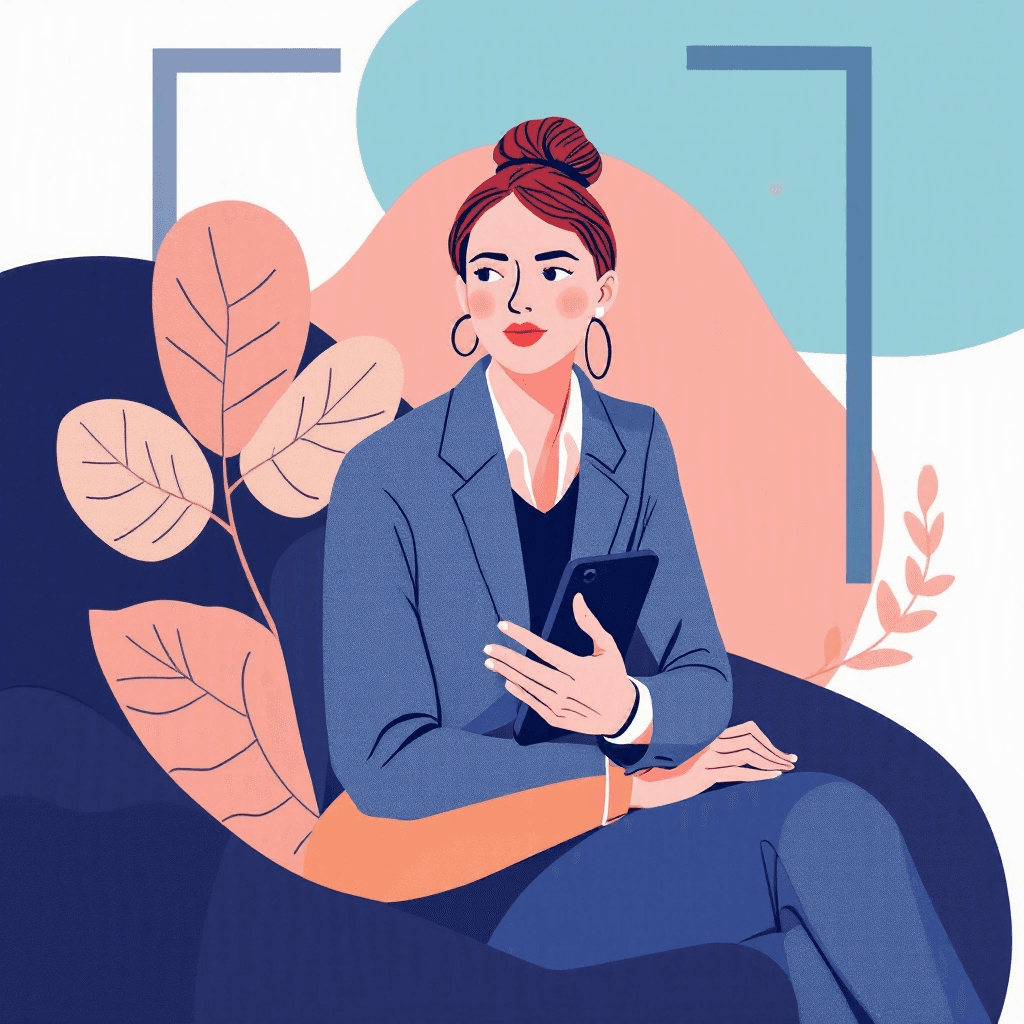
Imagine logging into a high-stakes interview and noticing your shirt blends into your wall, your collar is wrinkled, or your video shows odd reflections. Surprising but true: hiring managers form first impressions within 7-10 seconds of seeing you on camera. The remote interview is now the front door to most roles — 70% of companies report using video interviews early in hiring. That makes your on-camera appearance a tactical advantage or a silent liability.
In this guide you’ll learn what to wear to a remote video interview with proven, expert-backed advice: how to choose colors that pop on camera, fabrics that don’t shimmer, outfits tailored to role and culture, and quick grooming and lighting fixes. You’ll get step-by-step checklists, real-world examples from candidates who improved interview outcomes, and strategic “what if” scenarios so you can prepare calmly and confidently. Read on to transform your video presence and unlock stronger first impressions.
Three things every remote interview tests before the questions start.
Tick anything you have not sorted out yet.
Ticked nothing? You are prepared. The checklist is still worth having open during the call.
Free to browse · No account needed
Why your video outfit matters: first impressions and camera nuances
First impressions still rule — even on a tiny screen. Research shows people judge competence and likability within seconds. On camera, clothing interacts with lighting, background, and compression algorithms in ways you won’t see in a mirror. That blue blazer that looks flawless in the closet might appear washed out under LED lights; a patterned shirt that looks sharp in person can create distracting moiré effects on webcam feeds.
Actionable steps: 1) Run a camera check 24 hours before your interview — record a 1-minute clip using the same device, lighting, and outfit. Watch at normal speed and full-screen to spot issues. 2) Test different color swatches: solid mid-tones like navy, teal, burgundy, or warm gray typically translate well. 3) Avoid high-contrast stripes, tiny checks, or loud patterns that create flicker or swirl on video.
Case study: Maria, a product manager, switched from a thin-striped blouse to a solid teal blouse after a practice recording; interviewers commented she “looked more focused” in post-interview feedback. These small adjustments can change a perceived level of polish and preparedness.
Choose the right outfit by role: templates for corporate, creative, and tech
Different fields expect different visual cues. Use this role-based wardrobe template to match expectations without overdressing. Corporate / Finance: Wear business professional from the waist up — structured blazer, crisp shirt or blouse, minimal jewelry. Colors: navy, charcoal, white, soft blue. Example: Daniel, an analyst, wore a navy blazer with a light blue shirt and noticed a calmer tone in panel interviews. Creative / Marketing: Lean polished-casual: textured blazer, smart knit, or a statement blouse.
Avoid overly trendy accessories that distract. Tech / Startup: Smart casual works: solid crew or collared shirt, clean sweater, or an unstructured blazer. Emphasize neatness over formality. Remote Customer-Facing Roles: Choose more formal tops to convey authority — think solid button-downs or blouses with a subtle necklace. Action list: - Pick one primary outfit per role and a backup. - Match material choices to the camera test. - Prepare accessories that won’t jingle or reflect light.
Real-world scenario: A designer interviewed for a creative director role by wearing a polished blazer with a subtle patterned scarf; it showed creative flair without distracting from her portfolio presentation.
Interviews start with an application
New remote roles land on the board daily. Browsing takes no account, and the weekly email keeps the next one coming.
New remote roles, in your inbox every Monday
- Roles from named companies, with their source
- New postings only, never a repeat
- One click to stop
Alerts ship shortly. Sign up now and you are on the first send.
Colors, patterns, and fabrics that work on camera
Cameras and codecs favor certain colors and textures. Follow these practical rules to avoid surprises. Colors to choose: - Solid mid-tones: navy, teal, burgundy, forest green, warm gray. - Avoid pure white (blows out under front lighting) and pure black (loses detail). Patterns and prints: - Avoid tiny patterns like micro-checks or thin stripes (moiré risk). - Use larger, simple patterns sparingly.
Fabrics: - Matte fabrics (cotton blends, wool knits) reduce glare. - Satin or silk can reflect light and create hotspots. Head-to-toe harmony: - If wearing a blazer, ensure contrast with your shirt by one or two tonal steps. - For dark backgrounds, choose lighter tops; for light backgrounds, choose darker tops to stand out. Practical example: When candidates switch from glossy polyester tops to cotton-modal shirts, their faces appear more evenly lit and skin tones look natural on camera.
Quick checklist before the interview: 1) Lay outfit next to your camera and run a 30-second recording. 2) Look for hotspots, reflections, and pattern flicker. 3) Adjust lighting or swap fabrics if needed.
Grooming, accessories, and camera framing: small details that boost credibility
Interviewers notice small things: stray hairs, noisy jewelry, and an off-center frame can distract from your message. Grooming essentials: - Hair: tidy and away from your face. Consider a quick touch-up spray to tame flyaways. - Facial hair: well-groomed or clean-shaven depending on industry norms. - Makeup: if you use it, aim for matte finishes to reduce shine.
Accessories: - Keep jewelry minimal and non-reflective. - Avoid dangling earrings and large reflective watches. - Glasses: anti-reflective coating helps; tilt lighting or screen slightly to minimize glare. Camera framing and posture: - Frame from mid-chest to just above the head; maintain about 20-30% headroom. - Sit at eye level with the camera; use a laptop stand or stack of books. - Lean slightly forward to convey engagement; keep shoulders relaxed.
Case example: A sales candidate added a soft key light and positioned the camera at eye level; his engagement metrics (time speaking uninterrupted) improved in panel interviews because he looked more “present.” Action steps: - Place a mirror beside your camera to check alignment. - Do a 60-second recording focusing on framing and eye-line. - Remove noisy accessories and secure lapels or scarves.
Background, lighting, and environment: outfit interactions you can’t ignore
Your outfit must harmonize with your environment. An excellent outfit can be undermined by a cluttered background or harsh lighting. Background tips: - Keep it neutral and tidy: a bookshelf, plant, or framed art works well. - Avoid backgrounds that match your outfit’s color exactly — you want contrast.
Lighting rules: - Use three-point lighting when possible: key (front), fill (soften shadows), back (separate from background). - Natural light is great but position yourself facing a window, not with it behind you. - Use a soft, warm LED ring or panel if natural light isn’t available. Environment control: - Silence notifications, inform household members, and remove pet distractions. - Close tabs that might pop notifications or show sensitive information.
Example scenario: Priya, interviewing for a customer success role, changed from a beige sweater that blended into a cream wall to a teal blouse; combined with a lamp behind her camera she achieved better separation and got strong feedback on presence. Quick checklist: 1) Stand in your outfit and check for contrast with the background. 2) Adjust lighting to remove shadows under eyes. 3) Put a non-distracting object (plant or book) to add depth.
What to avoid: common mistakes and quick fixes
Many candidates lose points for preventable errors. Recognize these common pitfalls and fix them fast. Mistake: Overly casual or inappropriate tops (e.g., ripped tees, loud slogans). Fix: Wear a collared shirt, blouse, or blazer to convey intent. Mistake: Distracting patterns and reflective jewelry. Fix: Swap to solids and matte accessories. Mistake: Poor fit or visible wrinkles. Fix: Steam or iron the top the night before; avoid tight collars that wrinkle when you sit. Mistake: Neglecting shoes or lower half.
Fix: Dress head-to-toe during practice to ensure comfort and posture (you might need to stand suddenly). Mistake: Ignoring tech-camera checks. Fix: Test microphone, camera, and internet speed 30 minutes prior; have a phone ready for last-minute connectivity. Real quick fixes: - Keep a lint roller and travel steamer on hand. - Use a plain throw blanket or folding screen behind you as a neutral backdrop. - Keep a spare shirt near your setup for last-minute swaps.
Case study: Leo nearly wore a patterned tie that caused flicker; a last-minute switch to a solid knit tie helped him avoid distraction and stay focused on his talking points.
Practice routine: a 48-hour checklist to be camera-ready
Treat your outfit and setup like a performance — rehearse. 48-hour checklist: 48 hours out: - Choose your interview outfit and a backup. - Do a full wash/steam and lay it out. - Test colors and fabrics on camera. 24 hours out: - Run a full dress rehearsal with camera, lighting, headset, and recording. - Check framing and background, and adjust headroom. - Charge devices and set up a ‘do not disturb’ schedule. 2 hours out: - Re-run a 1-minute recording focusing on face and upper torso. - Groom, hydrate, and avoid oils/greasy foods that cause shine. 30 minutes out: - Place water nearby, mute notifications, and open interview link early. - Do breathing exercises to reduce nerves and ensure clear speech.
Example routine: Hannah, transitioning industries, followed this 48-hour plan and felt calmer and more in control; she credited the rehearsal for a clear, confident delivery. Bonus: Pair this routine with a resume refresh from Resumize.ai to ensure your experience and on-camera presence tell the same story. Resumize.ai can optimize interview talking points and your resume to match role keywords, making your video impression part of a larger, strategic job pitch.
Key Takeaways
- 1Run a camera test in your chosen outfit 24 hours before the interview to spot color, pattern, and lighting issues.
- 2Choose role-appropriate tops: structured blazers for corporate, polished-casual for creative, and neat smart-casual for tech/startups.
- 3Favor solid mid-tone colors and matte fabrics; avoid tiny patterns and highly reflective materials that create moiré or glare.
- 4Frame the camera at eye level, minimize distracting accessories, and maintain tidy grooming for a focused, professional presence.
- 5Ensure your outfit contrasts with your background and use soft, front-facing lighting to eliminate harsh shadows.
- 6Follow a 48-hour practice routine (outfit selection, dress rehearsal, tech checks) to reduce stress and look polished on camera.
- 7Use quick fixes—lint roller, spare shirt, soft LED light—and leverage Resumize.ai to align your resume and talking points with your visual brand.
Conclusion
Your clothing choices for a remote video interview are a strategic advantage — not a vanity exercise. By choosing camera-friendly colors, appropriate role-based tops, and practicing lighting and grooming, you control the initial impression and support the credibility of your answers. This guide gave specific, actionable steps you can use immediately: test outfits on camera, align with role expectations, and run a 48-hour rehearsal. Want to make your entire application package consistent and compelling?
Resumize.ai helps you polish your resume and talking points so your video presence and story align with hiring keywords and recruiter expectations. Visit http://resumize.ai/ to refine your resume today and step into your next interview with confidence.
Frequently Asked Questions
Related Articles

The Ultimate Guide to Acing a Remote Technical Interview
Facing a remote technical interview can feel like juggling code, cameras, and nerves all at once. If you worry about technical glitches, problem-solving under pressure, or communicating clearly on video, this guide is for you. You'll get a step-by-step preparation plan, remote-specific tips, three real-world case studies, and tactical checklists to reduce mistakes and boost confidence. Follow proven strategies to master coding challenges, system design, and behavioral rounds—so you show up calm, clear, and compelling.

The Ultimate Guide to Preparing for a Remote Panel Interview
Nervous about facing multiple interviewers over video? You're not alone—remote panel interviews trip up even experienced candidates. This guide gives you a proven, step-by-step plan to prepare your tech, craft concise answers, manage panel dynamics, and follow up effectively. You'll get real-world examples, quick scripts, and troubleshooting checklists so you can walk into any virtual panel with confidence. Learn how to control the conversation, highlight your impact, and use tools like Resumize.ai to tailor your resume and talking points for the panel. Read on to transform anxiety into a strategic advantage.
The Ultimate Guide: How to Answer 'Tell Me About Yourself' in a Remote Interview
Nervous about the classic 'Tell me about yourself' in a remote interview? You're not alone. In virtual interviews, that opener sets the tone and decides whether you sound confident or scattered. This guide gives you proven frameworks, sample scripts for different roles, handling technical hiccups, and quick tweaks to make your answer remote-ready. You'll get step-by-step prep, three tested scripts, and a short checklist so you can practice and deliver a concise, compelling intro that lands you the next stage.
Ready to Build Your Perfect Resume?
Put these insights into action with our AI-powered resume builder
Build my resume freeFree to start · No card · 5 credits the moment you sign up