The Ultimate Guide to Preparing Your Background for a Video Interview
ResumizeAI
Nervous about how your room looks on camera? You're not alone. A distracting background can cost you credibility — even if you're the perfect candidate. This guide walks you through proven, expert steps to prepare your background for a video interview: from choosing the right wall and lighting to quick staging hacks, camera framing, and tech checks. You'll get checklists, real-world examples, and shortcuts that make a polished, professional backdrop achievable in under 30 minutes.
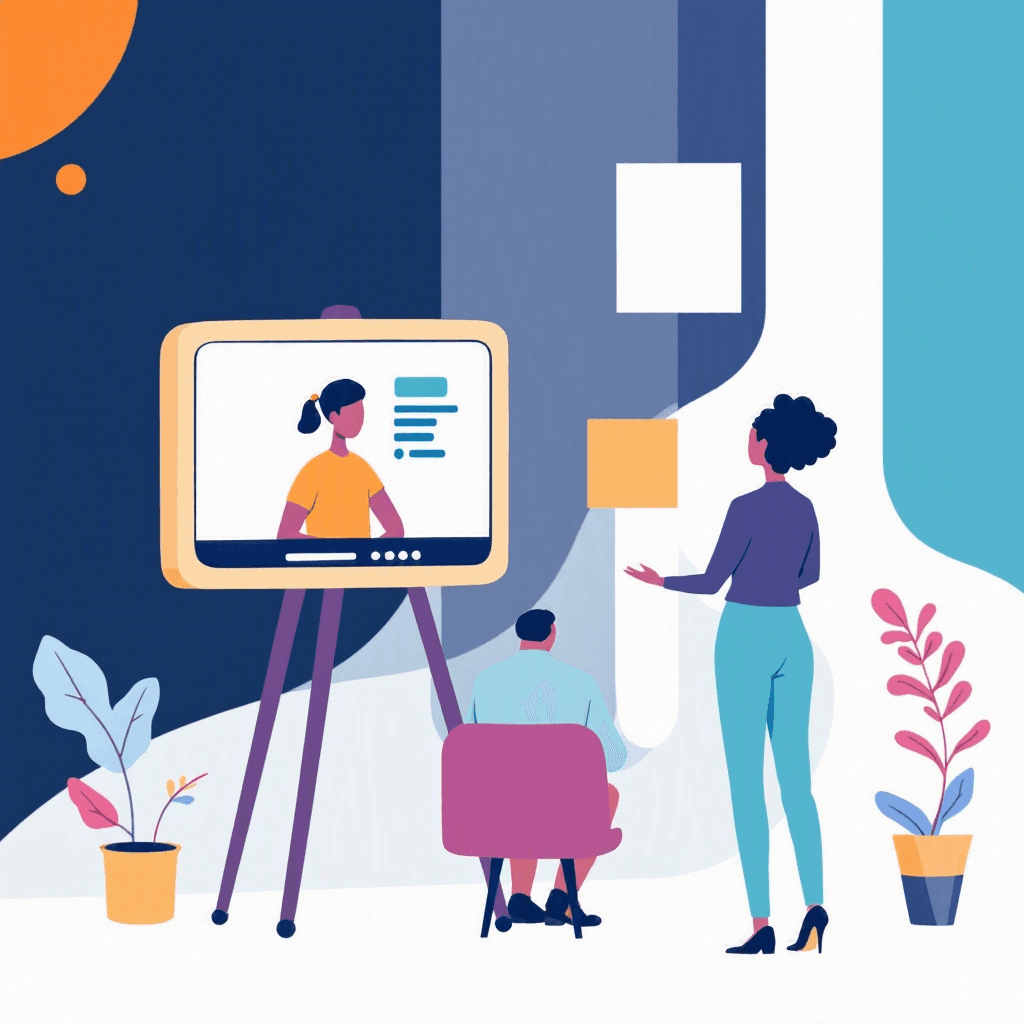
Imagine this: you’ve rehearsed your answers, updated your resume, and you’re five minutes from your video interview. Then the interviewer’s camera pans to a chaotic bookshelf, a glaring poster, or a partner walking behind you — and your focus sinks. Studies show that interviewers form first impressions within 7-17 seconds; your background shapes that impression. Preparing your background for a video interview isn’t just cosmetic — it’s strategic.
In this guide you’ll discover step-by-step, actionable tactics to create a clean, professional, and memorable backdrop. Expect quick staging techniques, lighting and camera tips, real-world before/after examples, and a simple checklist you can apply today. Whether you have a dedicated home office or a kitchen table, these proven strategies will help you control the narrative and present your best professional self on screen.
Three things every remote interview tests before the questions start.
Tick anything you have not sorted out yet.
Ticked nothing? You are prepared. The checklist is still worth having open during the call.
Free to browse · No account needed
Why Your Background Matters: First Impressions & Perception
Your background communicates before you say a word. Interviewers pick up on cues about organization, professionalism, and cultural fit from visible surroundings. In one real case, a product manager lost momentum during a final interview because a cluttered laundry pile distracted the hiring manager. That candidate was technically strong, but the background weakened perceived reliability.
Quick facts to consider:
- First impressions form within 7–17 seconds.
- Visual clutter increases cognitive load for viewers — they focus less on your message.
- Appropriate backgrounds can increase perceived competence and trustworthiness.
Actionable steps:
- 1Audition your space: Turn on your webcam and record 30 seconds. Watch it back and note distractions.
- 2Ask a friend for a 60-second honest critique — what draws their eye first?
- 3Choose one visual “theme” (minimal, academic, creative) and align items with it.
What if you don’t have a professional space? No problem — neutral walls or even a blurred background work well if set up correctly. The goal: remove competing elements so your face, voice, and message take center stage.
Choose the Right Backdrop: Options & Practical Examples
Not all backdrops are equal. You have five practical options depending on time, budget, and space: neutral wall, bookshelf, branded setup, virtual background, and DIY popup backdrop. Here’s how to choose and execute each with examples.
- 1Neutral wall (fastest, most reliable)
- Why: Clean, distraction-free, and versatile.
- How: Pick a solid-colored wall (soft gray, beige, or muted blue). Hang one framed print or a plant for depth.
- Example: Maria, a UX designer, moved her interview to a spare bedroom wall and hung a single abstract print — hired within two weeks.
- 2Curated bookshelf (professional and warm)
- Why: Signals education, curiosity, and personality.
- How: Remove personal items, face books outward, add 2–3 neutral props (plant, small sculpture). Keep shelves tidy.
- Example: Ahmed used a bookshelf with tech and design books plus a small lamp. It communicated expertise for a remote senior designer role.
- 3Branded setup (for entrepreneurs or sales roles)
- Why: Reinforces brand identity and confidence.
- How: Add one discreet logo item or product, maintain balance so it doesn’t feel like an ad.
- 4Virtual or blurred backgrounds (when space is limited)
- Why: Quick fix when you can’t rearrange.
- How: Use platform-native blur first. If using an image, choose high-resolution, realistic lighting, and test for artifacts.
- Tip: Avoid animated or busy images. Use a simple office photo that matches your lighting direction.
- 5DIY popup backdrop (budget-friendly)
- How: Hang a solid sheet or blanket on a tension rod or use a folding display board. Iron or steam to remove wrinkles.
Decision checklist:
- Time available (5 min to 2 hours)
- Role seniority (higher roles benefit from curated setups)
- Brand alignment (sales/entrepreneurship vs. corporate)
Pick the option that aligns with your role and timeline, then test on camera.
Interviews start with an application
New remote roles land on the board daily. Browsing takes no account, and the weekly email keeps the next one coming.
New remote roles, in your inbox every Monday
- Roles from named companies, with their source
- New postings only, never a repeat
- One click to stop
Alerts ship shortly. Sign up now and you are on the first send.
Master Lighting and Camera Placement for a Polished Look
Lighting and camera angle shape your perceived energy, clarity, and authority. Poor lighting can add shadows, wash out your face, or create awkward silhouettes. Here’s a simple, reproducible setup that works for most rooms.
Three-point lighting simplified (use what you have):
- Key light (primary): Place a lamp or window at a 45-degree angle in front of you. Natural light from a window is ideal but avoid direct harsh sunlight.
- Fill light (softens shadows): Use a second lamp on the opposite side or a white foam board to reflect light back.
- Backlight (adds depth): A small lamp behind you, off to the side, prevents you from blending into the background.
Camera placement and framing:
- Eye level: The camera should be at or slightly above eye level. Use books or a laptop stand to raise it.
- Distance: Frame from mid-chest to just above the head (headroom ~10% of frame height).
- Angle: Aim straight-on or slightly downward. Avoid upward angles that exaggerate neck and nostrils.
Practical examples:
- Quick fix: Sit facing a window, put a lamp to your side, and raise your laptop with two hardback books.
- Small room solution: Use a desk lamp with a soft white bulb for the key light and a white poster board for fill.
Test routine (5 minutes):
- 1Turn on camera and check exposure.
- 2Adjust blinds or lamp brightness.
- 3Record 30 seconds and confirm no harsh shadows or glare.
These lighting and camera steps transform a flat, amateur look into a clear, professional presence.
Declutter, Stage, and Brand: Practical Staging Checklist
Staging your background is about clarity and narrative. Use this checklist to audition each visible item and make fast staging decisions.
Staging checklist (10–20 minutes):
- Remove personal photos: Replace with neutral art or a plant.
- Hide laundry, dishes, and visible clutter: Put them out of sight or in a closed cabinet.
- Minimize colors and patterns: Stick to 2–3 complementary tones.
- Add a single focal point: A plant, framed degree, or tasteful lamp works well.
- Check for mirrors or windows reflecting movement: Close blinds or reposition.
- Mind the floor: Visible mess on the floor can still distract if camera angle shows it.
Before/after examples:
- Before: Kitchen counter with cereal box and sports trophies. After: Plain wall with a tall plant and neutral print.
- Before: Overstuffed bookshelf with knickknacks. After: Books organized by color, three minimal objects, one framed certificate.
Branding tips for role fit:
- Corporate: Stick to neutral, tidy setups; one framed diploma or industry book.
- Creative: Add subtle texture — an art print or design object.
- Customer-facing: Show a headset and a clean desk to indicate readiness for calls.
If you’re preparing multiple interviews, create two staging templates: "Conservative" and "Personalized." Switch based on company culture.
Technical Checks: Audio, Connectivity, and Platform Settings
A great background fails if your audio cuts out or the platform compresses your video. Technical reliability is part of the background experience because it affects how your environment appears to the interviewer.
Audio tips:
- Use a headset or an external USB mic for clear sound. Built-in laptop mics often pick up room echo.
- Eliminate background noise: Close windows, silence devices, and let others in your household know your interview time.
- Quick test: Record a 30-second answer to a sample question and listen for clarity and ambient noise.
Connectivity and camera quality:
- Wired connection: If possible, use Ethernet for stability. If not, sit near your router.
- Camera resolution: Use a 720p+ webcam. If your laptop camera is low-res, consider an external webcam.
- Battery: Plug in your laptop to avoid power-saving dimming or shutdowns.
Platform settings and backups:
- Test platform features: Practice screen share, mute/unmute, and chat. Locate the waiting room and camera toggle.
- Virtual background settings: If you must use one, test for ghosting artifacts and avoid motion-heavy clothing.
- Backup plan: Have a phone ready with the meeting link and directions to join by audio if video fails.
Real scenario: Priya, in a remote interview, had network drop mid-meeting. Because she had her phone queued with audio-only and an apologetic message ready, she rejoined within 60 seconds and the interview continued with minimal disruption.
Polish & Practice: Run-Throughs, Timing, and Final Touches
Preparation ends with rehearsal. Treat your environment like part of your script and run through the whole experience until it feels natural.
Full rehearsal checklist (20–30 minutes):
- 1Dress as you will for the interview, including the same colors and textures.
- 2Do a full camera recording: introduce yourself, answer two interview questions, and end the call. Watch for framing, lighting, and background distractions.
- 3Test different sitting positions to find the most flattering angle and consistent background.
- 4Time your answers and check pacing. Visuals change perception — slower, clear speech reads as confident.
Final touch steps (last 5-10 minutes):
- Close unnecessary browser tabs and apps to avoid notifications.
- Put your phone on Do Not Disturb and silence keyboard clicks if they’re loud.
- Position water nearby and tissues out of frame.
Case study: Jonah rehearsed a remote panel interview with a mock panel of two friends. They noted a distracting reflection from a lamp; he moved the lamp and re-recorded. The real interviewers later commented on his "calm presence" — a byproduct of his well-rehearsed setup.
Practice not only improves your on-camera presence but also gives you confidence so you can focus on content during the real interview.
Quick Fixes: 10 Under-10-Minute Hacks to Improve Any Background
Short on time? Here are 10 fast, high-impact fixes you can do in under 10 minutes.
- 1Turn on a warm desk lamp to add depth.
- 2Move a houseplant into frame for a clean, organic focal point.
- 3Close blinds to remove bright windows behind you.
- 4Swap a patterned shirt for a solid-colored blouse or shirt.
- 5Raise your laptop to eye level with two books.
- 6Remove one shelf of clutter or rotate items out of frame.
- 7Position a plain sheet or poster board behind you (iron out wrinkles).
- 8Use your platform’s blur feature at low strength.
- 9Mute notifications and put a “Recording” sign outside your door.
- 10Do a 60-second webcam test and adjust lighting accordingly.
Before/after micro-case: Elise had 8 minutes. She closed blinds, moved a lamp, and moved a large mug out of frame. The result: a calmer, more focused background and a tighter framing that made her appear more professional.
Use these hacks when time is limited — they dramatically reduce distraction and elevate perceived professionalism.
Key Takeaways
- 1Record a 30–60 second webcam test to identify distractions before the interview.
- 2Choose a backdrop that fits the role: neutral wall for corporate, curated bookshelf for academic/creative roles.
- 3Set up basic lighting: key light at 45°, a fill light, and a subtle backlight for depth.
- 4Run technical checks: use a headset, prefer wired internet, and pre-test platform features.
- 5Stage quickly with one focal point and remove personal photos or clutter.
- 6Practice a full run-through (camera, audio, answers) to build confidence and catch issues.
- 7Use quick 10-minute fixes like adding a lamp or raising your camera to instantly improve the frame.
Conclusion
Preparing your background for a video interview is a high-ROI step that signals professionalism, minimizes distraction, and reinforces your message. You now have a practical roadmap: evaluate your space, pick a backdrop that fits the role, control lighting and camera placement, run technical checks, and rehearse until your setup feels effortless. Want help translating your interview presence into a resume that opens more doors?
Try Resumize.ai to optimize your resume for the roles you’re interviewing for — it complements your video prep by making sure your qualifications land on the first glance. Visit http://resumize.ai/ to refine your resume and unlock more interview opportunities today.
Frequently Asked Questions
Related Articles
The Ultimate Guide to Preparing for a Remote Asynchronous Video Interview
Stuck facing a one-way video interview with no live interviewer? You’re not alone. Remote asynchronous video interviews are now common—yet many candidates freeze, ramble, or underprepare. This guide gives you a proven, step-by-step system to master tech, craft concise answers, manage body language, and practice like a pro. Learn specific scripts, setup checklists, timing strategies, and how to use tools like Resumize.ai to align your responses with the job. Walk into your next asynchronous interview confident, concise, and memorable.
The Ultimate Guide to Video Interview Mistakes (and How to Fix Them)
Nervous about video interviews? You're not alone. Remote interviews are now the norm, and small mistakes can cost big opportunities. This guide pinpoints the top video interview mistakes—like poor lighting, bad audio, weak answers, and tech failures—and gives proven, step-by-step fixes you can use today. You'll see before/after examples, quick-prep checklists, and real candidate case studies to help you transform your performance and increase interview success. Ready to turn your next video interview into an offer? Read on.

The Ultimate Guide to Acing a Remote Technical Interview
Facing a remote technical interview can feel like juggling code, cameras, and nerves all at once. If you worry about technical glitches, problem-solving under pressure, or communicating clearly on video, this guide is for you. You'll get a step-by-step preparation plan, remote-specific tips, three real-world case studies, and tactical checklists to reduce mistakes and boost confidence. Follow proven strategies to master coding challenges, system design, and behavioral rounds—so you show up calm, clear, and compelling.
Ready to Build Your Perfect Resume?
Put these insights into action with our AI-powered resume builder
Build my resume freeFree to start · No card · 5 credits the moment you sign up